How to withdraw funds from your RemitBee balance?
Moving funds from your Balance back to your bank is simple. You can withdraw from your CAD Balance or your USD Balance — the steps are the same, and the only difference is the withdrawal method available for each.
Withdraw from your Balance, step by step
1. Open your Balance: From your home screen, tap the CAD Balance or USD Balance card.
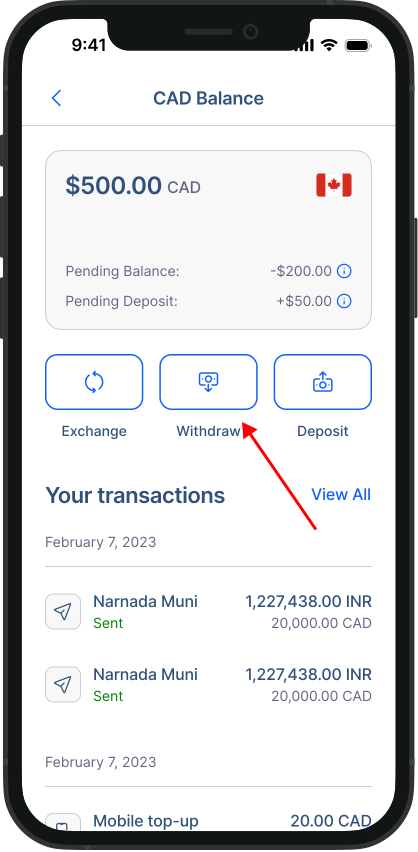
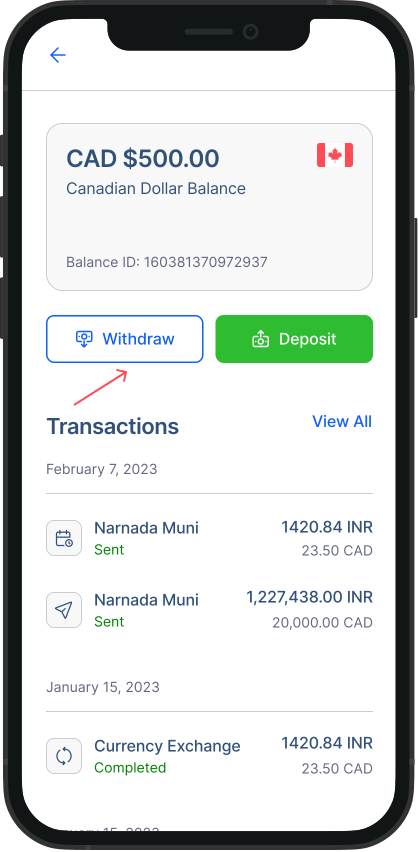
2. Start the withdrawal: On your Balance screen, tap the Withdraw button.
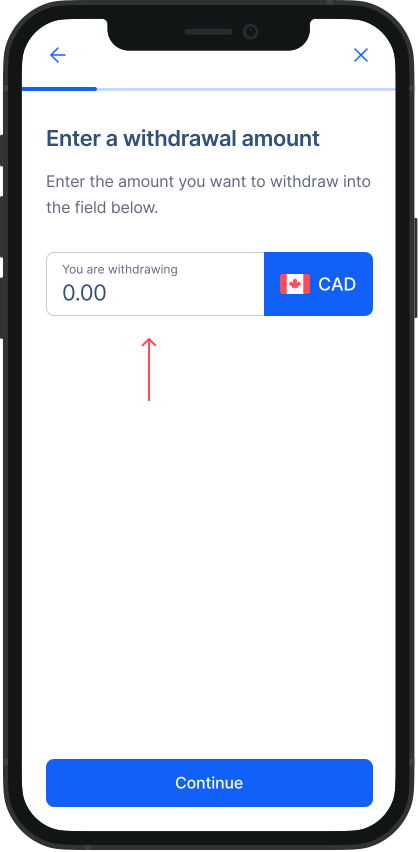
3. Enter the amount: Type in the amount you'd like to withdraw.
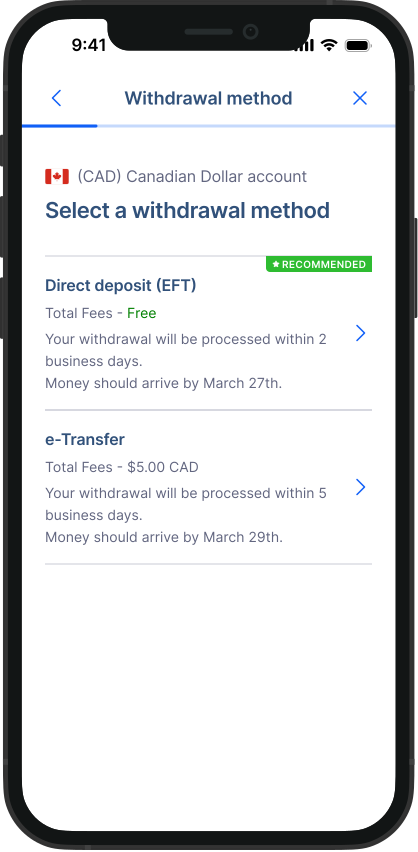
4. Choose your withdrawal method: Select how you'd like to receive your funds (the options depend on your currency — see below), then tap Continue.
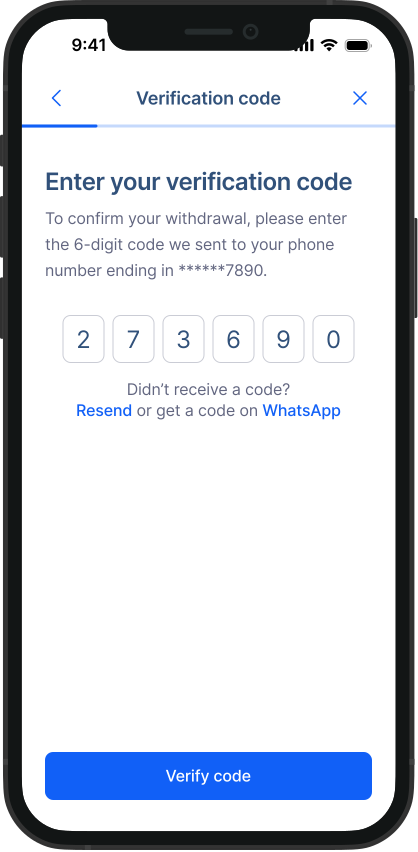
5. Confirm it's you: Enter the 6-digit verification code we send to your registered mobile number.
| Balance | Available methods |
|---|---|
| CAD Balance | Interac e-Transfer, Direct Deposit (EFT) |
| USD Balance | Direct Deposit (EFT) only |
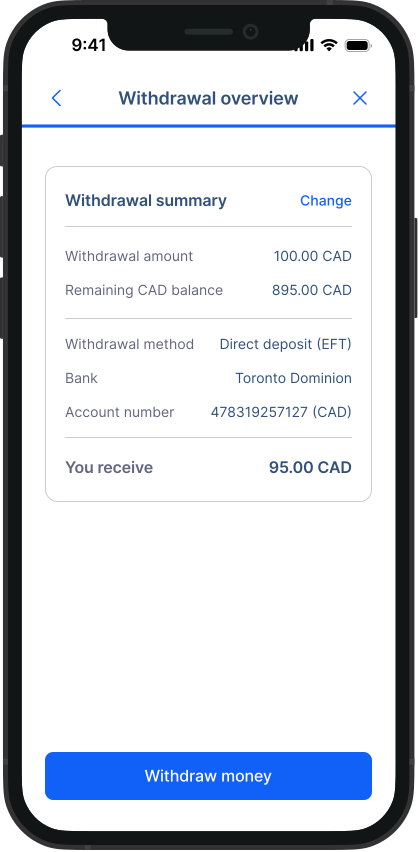
6. Review and confirm: Check your withdrawal details and tap Withdraw money.
Congratulations! You've successfully withdrawn funds from your Balance.